
New Online Quote Request Process
Effective September 30, 2026, Martin Manufacturing Company will transition our online store to quote requests only. Customers and dealers will still be able to view our full product listings online, but orders will now be submitted through the Request a Quote process outlined below.
How to Request a Quote
- Add an Item to Your Quote
From the product page, click the “Add to Quote” button.
- Enter the Quantity
A box will appear asking for the desired quantity. Enter the quantity and click “Submit.” - Continue Shopping or View Your Quote
You will be given the option to “Keep Browsing” or “Show Quote.” - Build Your Quote
Continue adding products to your quote just as you would normally add products to your shopping cart. - Open Your Quote
When you are finished, click the black circular quote icon in the bottom-right corner of the page.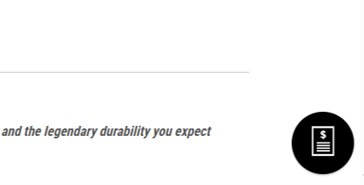
- Submit Your Quote Request
Enter your contact information, review the products and quantities requested, and click “Submit Quote.”
For Retail Customers
Once your quote request is submitted, our Sales Team will review it and return a completed quote with pricing.
The completed quote can then be taken to an Authorized Martin Till Dealer to complete your purchase.
For Martin Till Dealers
Please make sure you are logged in using your dealer account before submitting your quote request.
If you are unsure of your dealer login email or password, please contact us at sales@martintill.com for assistance.
Once your quote request is submitted, our Sales Team will receive it, process your dealer pricing, and return the completed quote to you.
If you have any questions about the new process or need assistance submitting a quote, please contact our Sales Team at 800-366-5817, email sales@martintill.com, or contact your Martin Till Sales Representative for your state.
Thank you for choosing Martin Till.